

PlaceMapper on iOS & Android
Native apps synced with your web dashboard, browse collections, navigate with GPS and stay up to date on every device.
Download the app to browse shared collections and navigate with GPS, works for personal lists and shared guides alike.
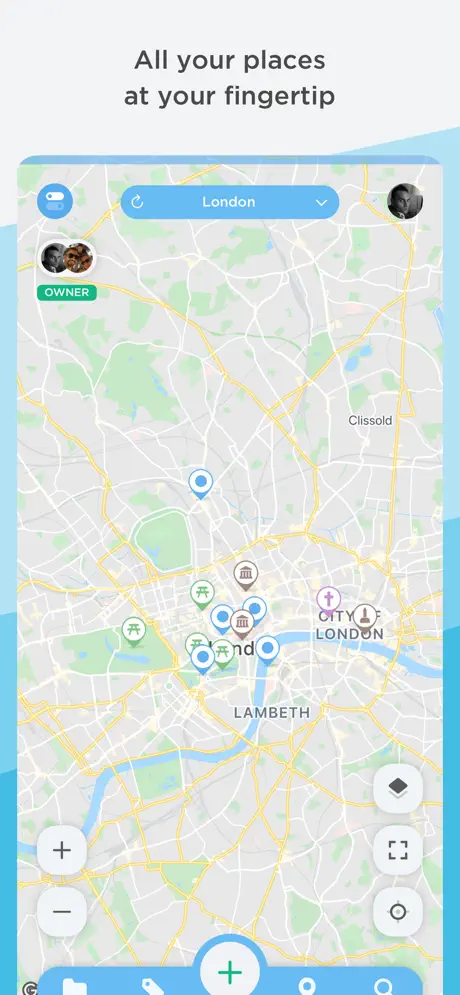
Two apps, one experience
PlaceMapper works the same on iPhone, iPad and Android. Pick your store, install the app and access your collections instantly.
Built for iPhone & iPad
Smooth navigation, offline maps and live sync with the dashboard. Available on the App Store.
Built for Android phones & tablets
The Android app is coming soon. In the meantime, use PlaceMapper on the web or on iOS.
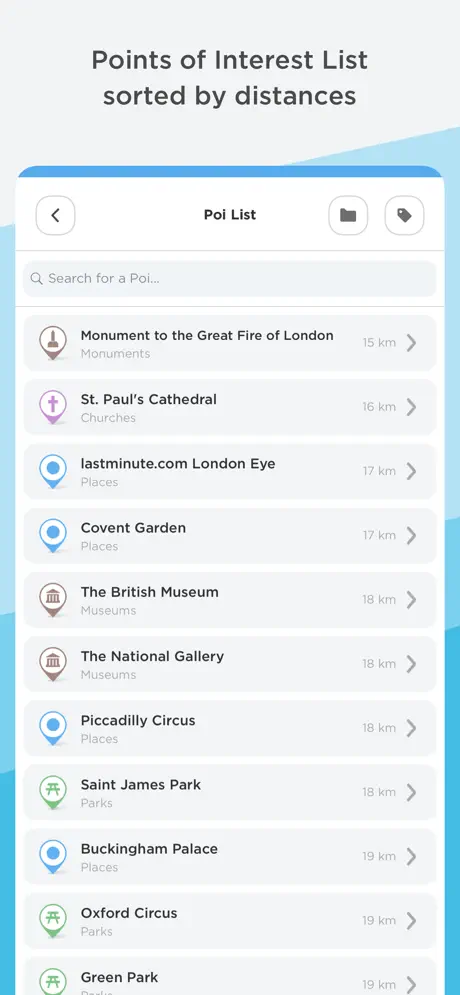
Create collections or explore shared ones
I create collections
Register, build collections on the dashboard and see every change live on mobile.
- Sign up and create your first collection
- Add POIs with photos, tags and coordinates
- Download the app to preview and navigate your places
Someone shared a collection with me
A friend, colleague or guide gave you access. Download the app and explore their curated places.
- Download PlaceMapper from App Store or Google Play
- Accept the invite or open the shared link
- Browse places, filter by tag and navigate with GPS
What you can do in the app
Browse collections
Restaurants, sights, services and notes, organized in one collection.
Navigate with GPS
Get turn-by-turn directions to any POI in the collection.
Offline access
Key maps and information remain available without connectivity.
Live sync
When the collection owner updates content, you see changes immediately.
Ready to map your world?
Create your first collection in minutes. Basic plan is free.